Free prompts: Every prompt on this site is free to copy and paste into Grok Bot. Browse the Free Grok Bot prompts library.
Grok Bot can help you plan, build, and run a Shopify shop you own: drafting product descriptions, checking inventory, preparing customer replies, and summarizing sales. It connects through Shopify’s own connector for Grok, which you install from Connect apps inside the Grok Bot app (not from the Grok app, and not from the Shopify App Store). Every store change in this series waits for your review. Bot Agents 24 is an independent guide. It is not affiliated with, endorsed by or sponsored by xAI. Grok Bot is a product of xAI. Labels in the app can change; if a name you see here does not match your screen, follow the wording in your app.
Start here
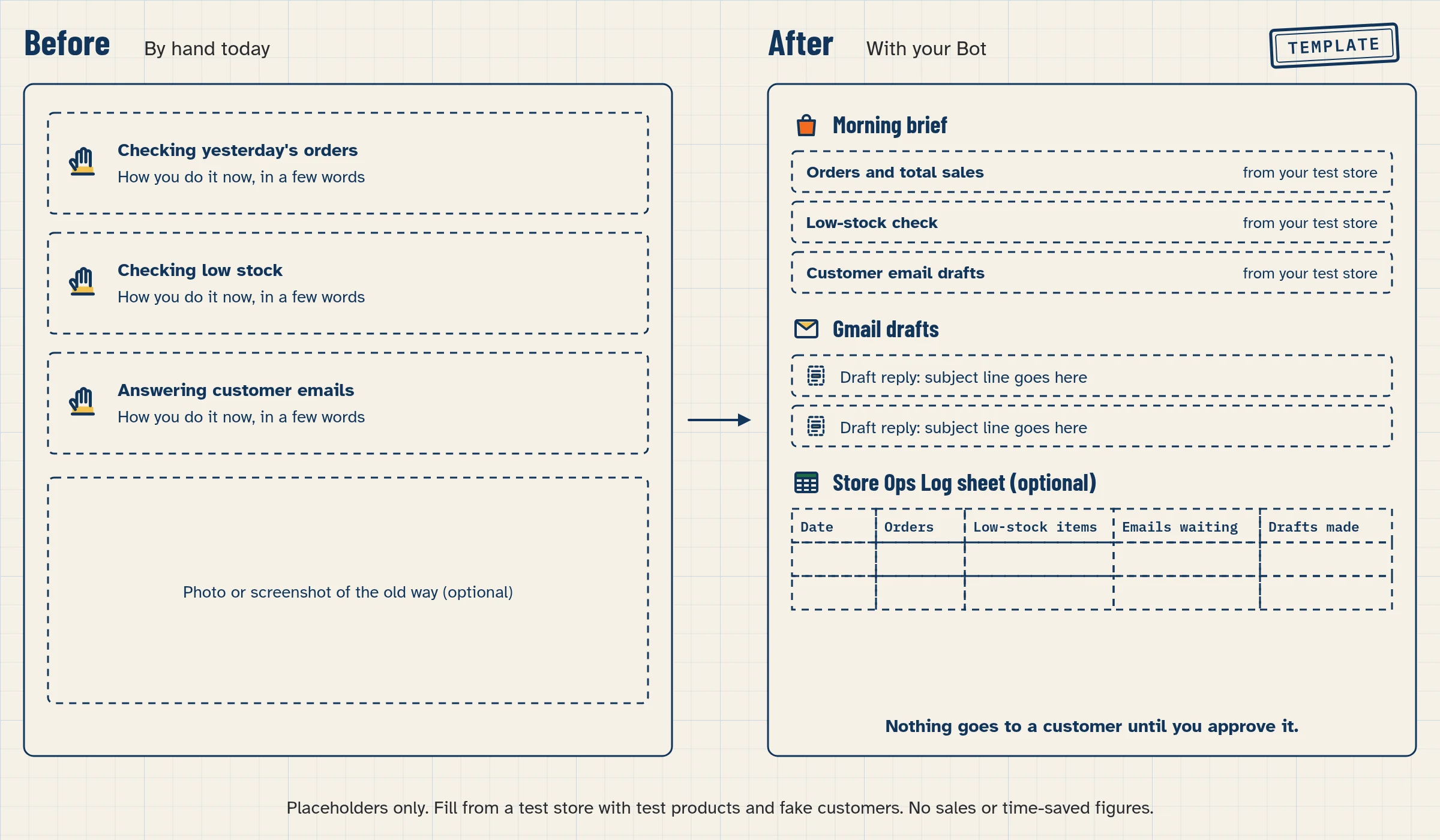
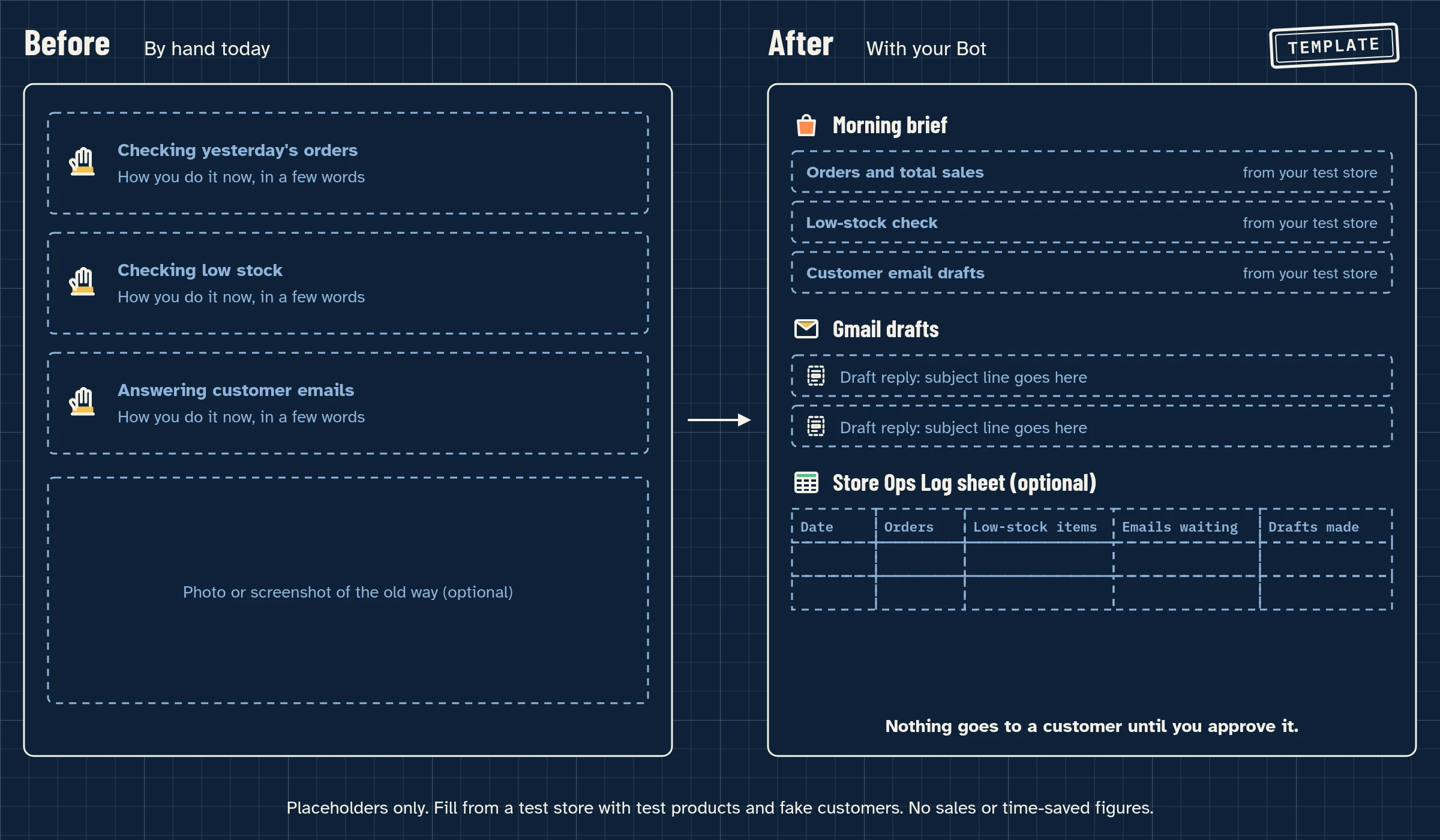
Start with how to connect Grok Bot to Shopify, then copy the Shopify Store Ops Bot build if you want a morning brief. No store yet? Follow How to Build a Grok Bot That Sets Up and Runs a New Shopify Store. Do lessons 1.6, 2.1, 2.2, 2.6 and 2.8 first.
What the connector can’t do
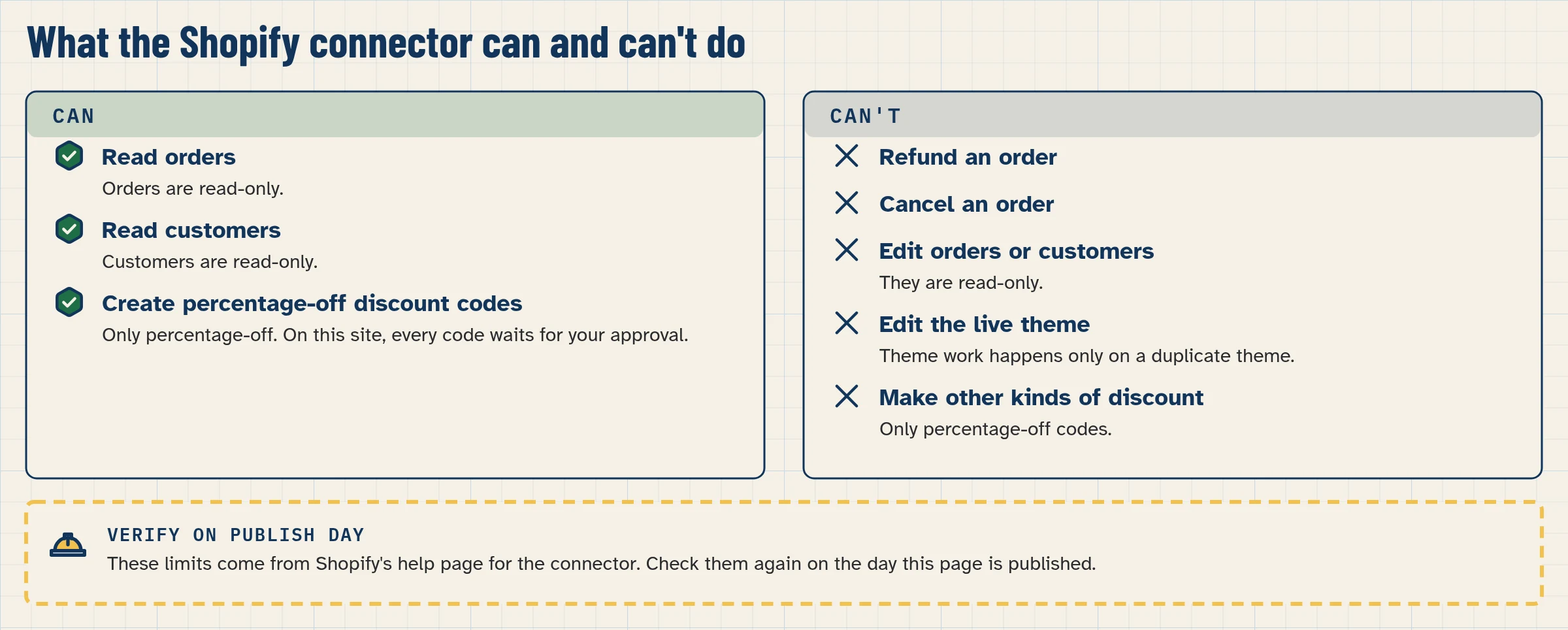
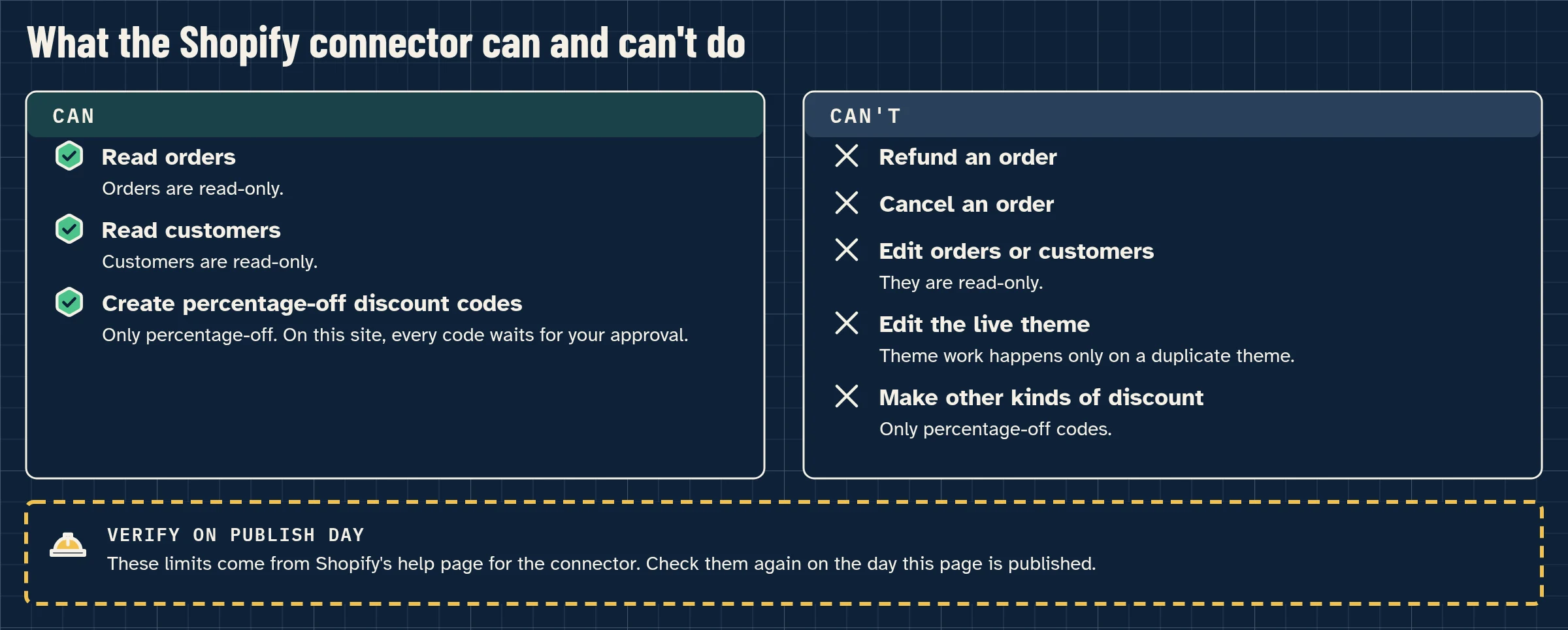
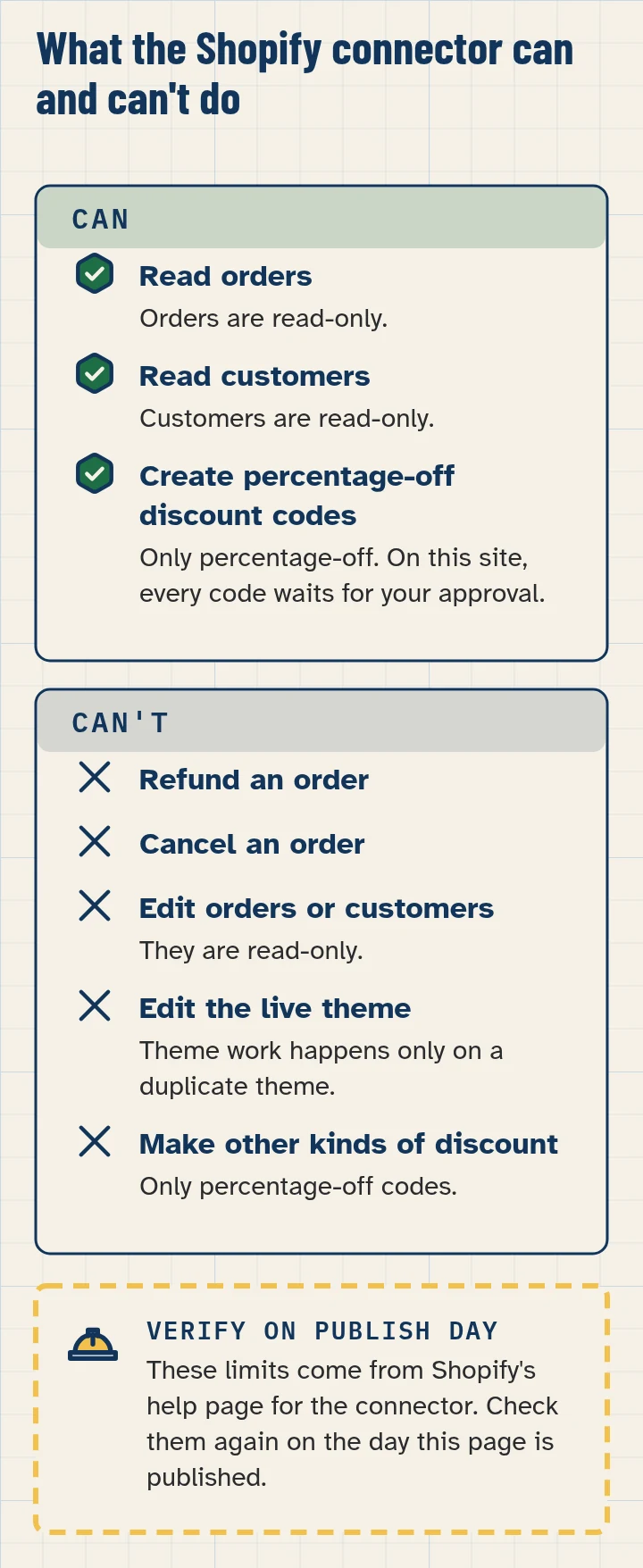
- It can’t refund or cancel orders, capture them, mark them paid, process returns, or create and adjust gift cards.
- It can’t edit your live theme. Theme work happens on a duplicate or unpublished theme; you review and publish it.
- Orders and customers are read-only.
- Discount codes it creates are percentage-off only. It does not change existing codes or create fixed-amount discounts.
- It can’t change your plan, payments, taxes, or domains.
- Shopify Help now documents building a store with Canvas from Grok: you can create a store from chat before you sign up, and it stays password protected until you save it and choose a paid plan. Step by step: the new-store build. (Shopify Help, checked November 15, 2026)
The series
Every how-to in this section is listed below once it is published. Comparison pages and the Store Ops build are included in the same list.
What about Shopify Sidekick?
Sidekick is Shopify’s own AI assistant, used inside Shopify admin. This series covers Grok Bot jobs, including work that can combine other connected apps such as Gmail. See Grok Bot vs Shopify Sidekick and AI agents for Shopify compared.
Every page in this section
How to connect Grok Bot to Shopify (the Shopify connector)
/connectors/shopify/How to build a Shopify store with AI, step by step (with Grok Bot)
/shopify/start-a-store/How to write Shopify product descriptions with AI (Grok Bot)
/shopify/product-descriptions/How to get Shopify low-stock alerts and manage inventory with Grok Bot
/shopify/products-and-inventory/How to create a discount code on Shopify with Grok Bot (with approval)
/shopify/discount-codes/How to get a daily Shopify sales report with Grok Bot
/shopify/sales-report/How to answer Shopify customer emails and order questions with Grok Bot
/shopify/customer-service/How to write your Shopify About, shipping and returns pages with Grok Bot
/shopify/store-pages-and-policies/How to sell digital products on Shopify with Grok Bot
/shopify/digital-products/How to safely change your Shopify theme with Grok Bot (on a duplicate theme)
/shopify/theme-design/What Grok Bot can and can't do in Shopify: permissions and limits
/shopify/permissions-and-limits/How to build a Shopify Store Ops Bot (morning brief, low stock, customer replies)
/build/how-to-build-ai-agent-grok-bot-shopify-store/How to build a Grok Bot that sets up and runs a new Shopify store
/build/how-to-build-ai-agent-grok-bot-new-shopify-store/Grok Bot vs Shopify Sidekick: pros, cons and which to use
/compare/grok-bot-vs-shopify-sidekick/AI agents for Shopify compared: Grok Bot, ChatGPT, Claude, Gemini, Copilot and Sidekick
/compare/ai-agents-for-shopify/How to fix the Shopify connector when it's not working
/help/shopify-connector/
Sources
- Shopify connector for Grok (Shopify Help Center), consulted November 11, 2026.
- Computer and apps (Grok Bot docs), consulted November 11, 2026.
- Approvals, security and privacy (Grok Bot docs), consulted November 11, 2026.
- xAI pricing. We do not republish plan prices.
FAQ
Do I need a Shopify store already?
No. Shopify Help says you can create a store from chat before you sign up, then save it to a Shopify account when you want to keep it. You can also connect a store you already own. To practise, prefer a development or test store with made-up products and customers.
Can the Bot publish products or change prices on its own?
This guide never teaches that. The Bot drafts, and you approve every store change, then confirm it in Shopify admin.
Will this make my store more money?
We make no sales or income claims. The series shows what a Bot can draft and check so you spend less time on routine jobs.
Is this an xAI website?
No. Bot Agents 24 is an independent guide. It is not affiliated with, endorsed by or sponsored by xAI.