Free prompts: Every prompt on this site is free to copy and paste into Grok Bot. Browse the Free Grok Bot prompts library.
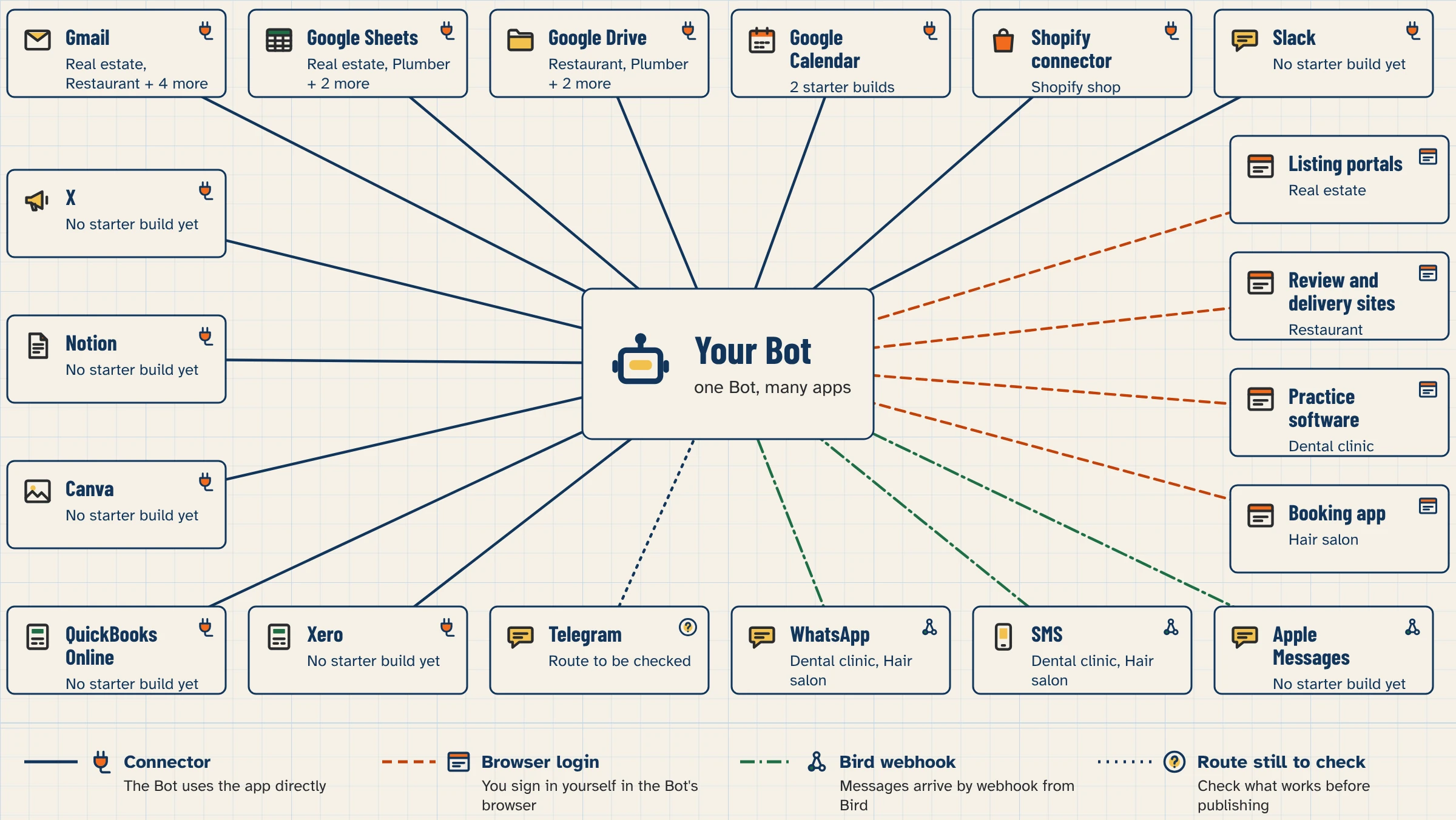
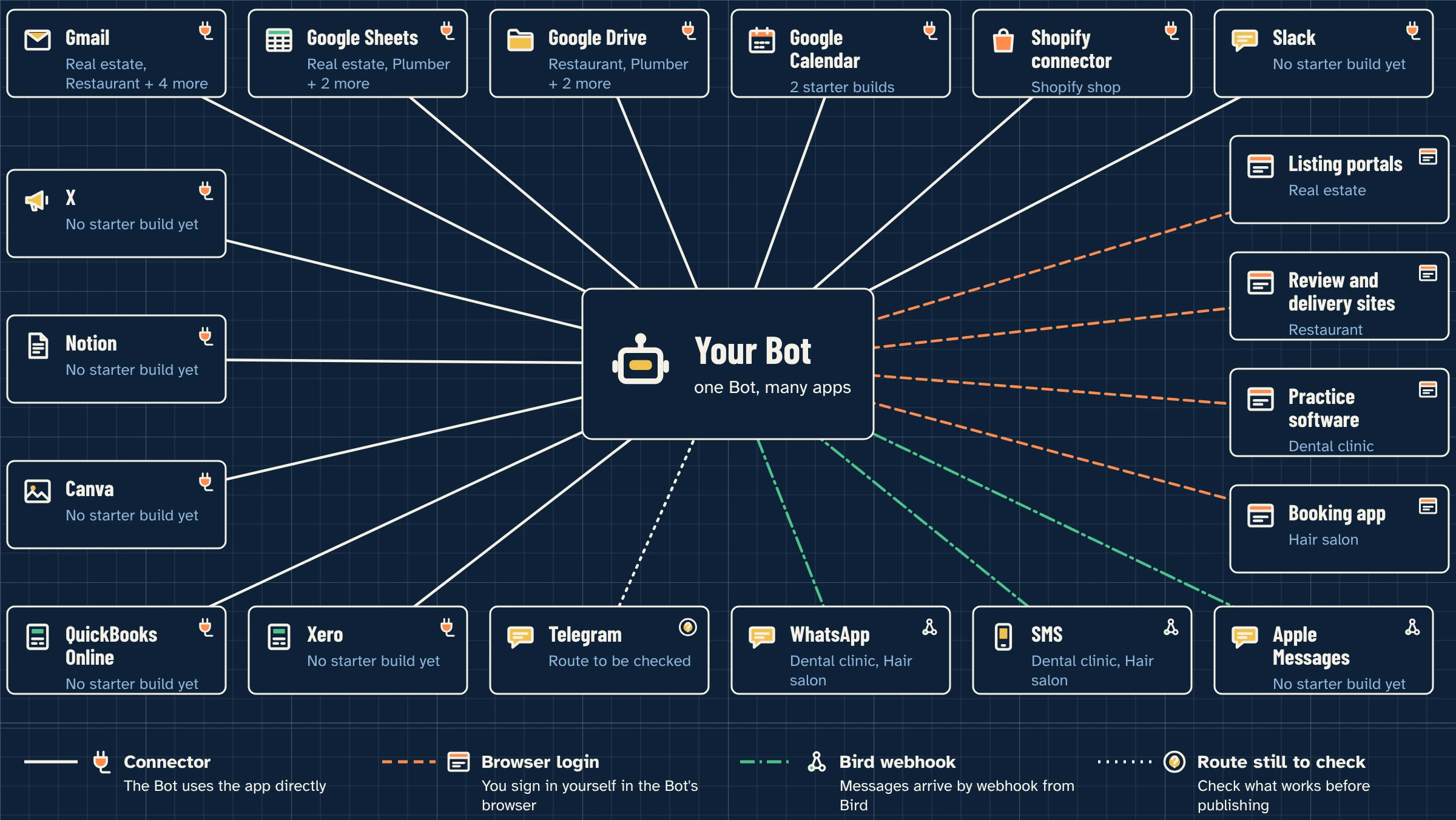
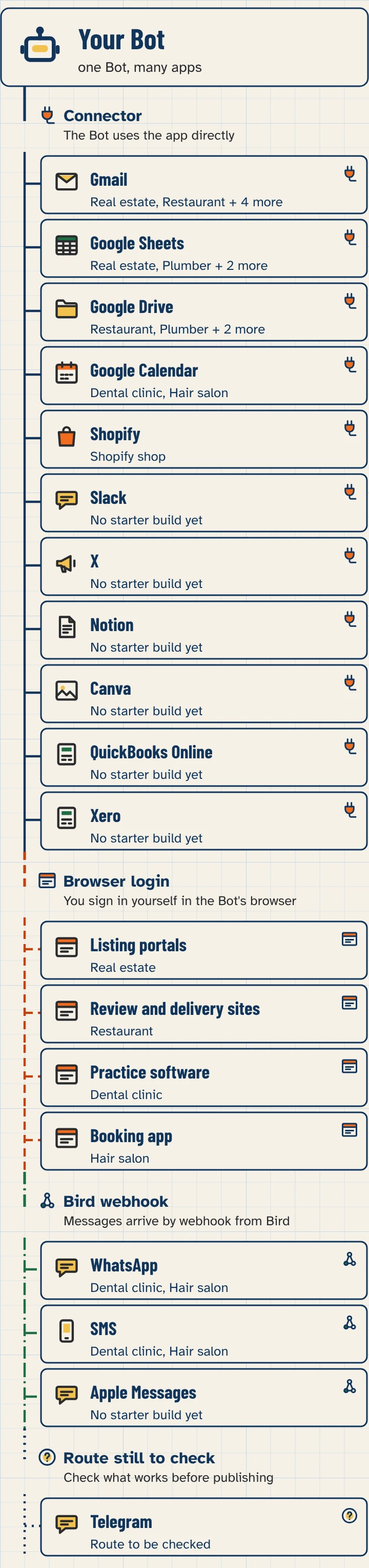
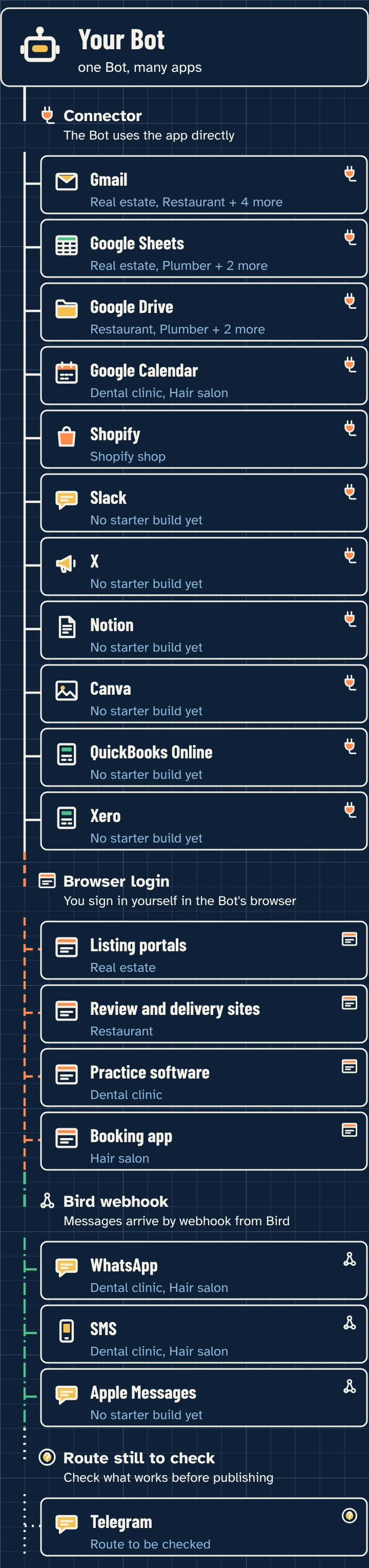
Connect only the apps a job needs. When you connect an app, every Bot you run can use it, so treat each connection as account-wide. Apps reach your Bot in three ways: as a connected app from Connect apps, through the Bot’s own browser for sites with no app, or through a webhook from a service such as Bird (the path this site documents for WhatsApp). Bot Agents 24 is an independent guide. It is not affiliated with, endorsed by or sponsored by xAI. Grok Bot is a product of xAI. Labels in the app can change; if a name you see here does not match your screen, follow the wording in your app.
Start here
Most small businesses start with Gmail. Read how app connections work first, and keep sends on approval in lesson 2.6. Phone calling, where it is available, is documented under phone calls and is not installed the same way as a typical Connect apps item.
Every connector guide on this site
The list below is the published guide for each app. The computer-and-apps documentation names examples such as Gmail, Notion, Slack, Google Calendar, Sheets, Docs, Drive, Stripe, the X plugin, 1Password, and Linear. Pages for QuickBooks Online, Xero, Canva, and Telegram tell you to check Connect apps and do not invent a feature list we have not independently verified.
Before you connect anything
- “Added” does not mean signed in. Check the app shows under Installed and is connected.
- When Grok Bot asks you to Authorize or Authenticate, finish the provider login in your browser. Use Reconnect or Reopen if sign-in does not finish.
- In chat, type @ to attach the app to the task.
- A teammate’s shared Bot asks before it uses your accounts.
- Never paste passwords, API keys, or one-time codes into ordinary chat. Use the setup screen, Vault, or a Secure Form.
- Google Sheets lets the Bot edit every sheet the connected account can edit, and Google Drive lets it read every file the account can open. Use an account that holds only what the job needs.
Every page in this section
How to connect Grok Bot to Gmail
/connectors/gmail/How to add Grok Bot to Slack
/connectors/slack/How to connect Grok Bot to WhatsApp (via Bird)
/connectors/whatsapp/Can Grok Bot make or answer phone calls?
/connectors/phone-calls/How to connect QuickBooks Online to Grok Bot
/connectors/quickbooks/How to connect Xero to Grok Bot
/connectors/xero/How to connect Notion to Grok Bot
/connectors/notion/How to connect Canva to Grok Bot
/connectors/canva/How to connect Grok Bot to your X account
/connectors/x/How to connect Grok Bot to Telegram (what works)
/connectors/telegram/How to connect Grok Bot to Shopify (the Shopify connector)
/connectors/shopify/
Sources
- Computer and apps (Grok Bot docs), consulted November 11, 2026.
- Message and collaborate (Grok Bot docs), consulted November 11, 2026.
- Approvals, security and privacy (Grok Bot docs), consulted November 11, 2026.
- Connect apps (Cursor help), consulted November 11, 2026.
- Shopify connector for Grok (Shopify Help Center), consulted November 11, 2026.
FAQ
Which apps should I connect first?
Only the ones your first build uses. For many builds that is Gmail, and Google Sheets if you already keep records there.
What if my app has no connector?
The Bot can often use the site in its own browser after you sign in. Lesson 2.4 shows how. Some sites block automation. If Connect apps does not list the app, do not invent a connection.
Can I connect two Gmail accounts?
The docs say: Gmail connects one mailbox at a time. To switch, disconnect the current one and authorize the other. Some other apps, like Notion, can connect a second account.
Is this an xAI website?
No. Bot Agents 24 is an independent guide. It is not affiliated with, endorsed by or sponsored by xAI.