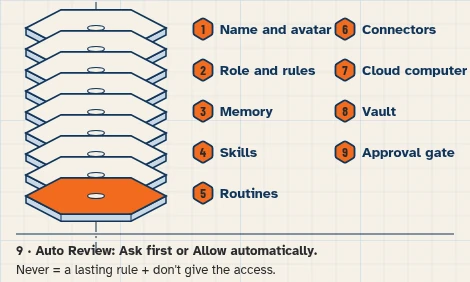
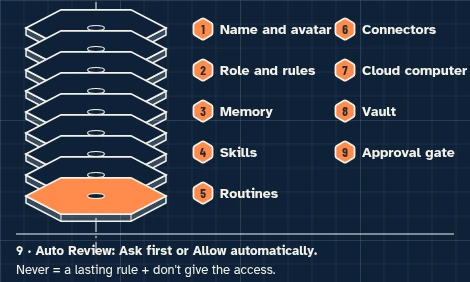
This walkthrough uses a fictional business and test accounts only. It sets up no live messages or routines.
This walkthrough prepares one inquiry brief from a packages doc, a test calendar and two test emails you enter. It does not send mail, collect a payment, analyze a photo, or connect a gallery, client portal or contract-signing app.
At a glance
What you’ll have at the end
A fictional Lampblack Shoot Coordinator Bot, set up on a test account, that can:
- Read your packages and contract outline from a test Drive folder.
- Check a requested date against the test calendar.
- Draft unsent package replies, and, for a booking request, a contract outline and deposit invoice in this chat.
Staff still review every draft and decide what is sent. This walkthrough has not been run end to end. An email-arrival trigger is not part of this build. A later scheduled check is optional; this walkthrough creates none.
What you need
- A Grok Bot account. Access that includes Grok Bot may require a paid plan; check eligibility, cost and usage on the day you follow this guide.
- A separate test Google account, with no real client, shoot or payment information.
- Google Drive, for a packages and contract-outline doc you fill in yourself (connected in this walkthrough so the Bot can read it).
- Google Calendar, for the holds you enter (connected so the Bot can read them).
- Gmail on the test account, for two inquiry emails you enter (connected so the Bot can read them and keep replies as unsent drafts).
This walkthrough does not use the Bot’s browser and does not connect a gallery, client portal or contract-signing app.
Difficulty: Intermediate
Meet the studio
Example data (fictional): Lampblack Studio, 54 Example Street, Indianapolis, Indiana, is invented. Photographer Nell prepares the drafts; studio assistant Hugo reviews every reply, contract outline and invoice.
Tools: Google Drive for the packages doc, Google Calendar for holds, and test Gmail for inquiries. One task only:
- As of Monday, November 16, 2026, read the two test inquiries, check each requested date on the calendar, draft a package reply from the packages already on the doc, and, for a booking request on an open date, draft a contract outline and deposit invoice from that same doc. Do not invent a price. Do not send mail or collect a payment.
The studio, packages, amounts and messages in this guide are invented. Amounts are demonstration figures the reader types onto the doc. This walkthrough does not send a reply or charge a deposit.
This studio example uses Eastern Time (America/Indiana/Indianapolis).
Before you start
Use free Google account options; no paid add-ons. Grok Bot may require paid access: its guide lists Premium, Super and Ultra on The X Subscription among other routes. [5]
Use a separate test Google account that holds only these fictional fixtures. Never connect a live client mailbox, calendar or Drive folder. Google Drive can search and read files the connected Google account can open, not only the file you name in a prompt. Saving a file to Google Drive creates a new file, so keep drafts in this chat and do not approve a save or create card in this exercise. [1][6]
Do not invent or connect a gallery, client-portal or contract-signing app, and do not use the Bot’s browser to open one. Do not analyze a photo or invent what a photo shows. There is no email-arrival trigger; you run the brief after the test emails are in the inbox.
Package prices and deposit amounts come only from the doc you fill in. If a package is not on the doc, do not invent a price. Contract drafts use only the outline headings already on the doc, plus the date, package and deposit copied from that doc. They are not a signed contract and not legal advice. Invoice drafts stay unsent and do not collect payment or invent a payment link.
Prepare the fictional sources
1. Enter the fictional packages and contract outline in Google Drive
What to do in the app
In Google Drive, make a folder named Lampblack — studio. In that folder, create a Google Doc named Lampblack — packages. Enter the fictional text below. Do not add live client names, live prices or photo files.
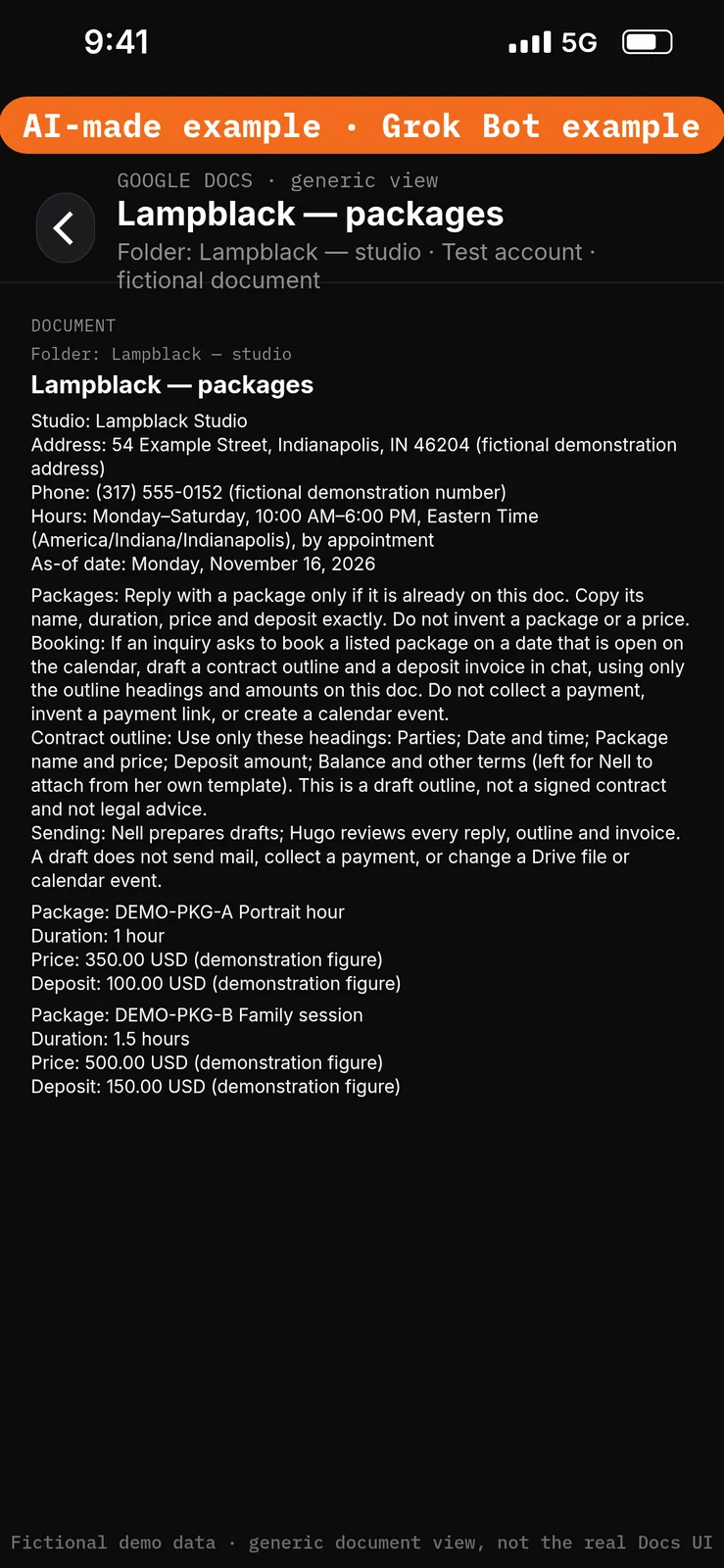
Paste this into Google Docs or Google Drive → the Lampblack — packages document in the Lampblack — studio folder.
Fact: Hours
Approved answer: Monday–Saturday, 10:00 AM–6:00 PM, Eastern Time (America/Indiana/Indianapolis), by appointment

Fact: Location
Approved answer: 54 Example Street, Indianapolis, IN 46204 (fictional demonstration address)

Fact: Phone
Approved answer: (317) 555-0152 (fictional demonstration number)

Fact: As-of date
Approved answer: Monday, November 16, 2026

Fact: Packages
Approved answer: Reply with a package only if it is already on this doc. Copy its name, duration, price and deposit exactly. Do not invent a package or a price.

Fact: Booking
Approved answer: If an inquiry asks to book a listed package on a date that is open on the calendar, draft a contract outline and a deposit invoice in chat, using only the outline headings and amounts on this doc. Do not collect a payment, invent a payment link, or create a calendar event.

Fact: Contract outline
Approved answer: Use only these headings: Parties; Date and time; Package name and price; Deposit amount; Balance and other terms (left for Nell to attach from her own template). This is a draft outline, not a signed contract and not legal advice.

Fact: Sending
Approved answer: Nell prepares drafts; Hugo reviews every reply, outline and invoice. A draft does not send mail, collect a payment, or change a Drive file or calendar event.

Package: DEMO-PKG-A Portrait hour
Duration: 1 hour
Price: 350.00 USD (demonstration figure)
Deposit: 100.00 USD (demonstration figure)

Package: DEMO-PKG-B Family session
Duration: 1.5 hours
Price: 500.00 USD (demonstration figure)
Deposit: 150.00 USD (demonstration figure)
2. Enter the fictional calendar hold in Google Calendar
What to do in the app
In Google Calendar, use a test calendar named Lampblack — shoots. Create the hold below, in Eastern Time (America/Indiana/Indianapolis). Do not add a live booking.
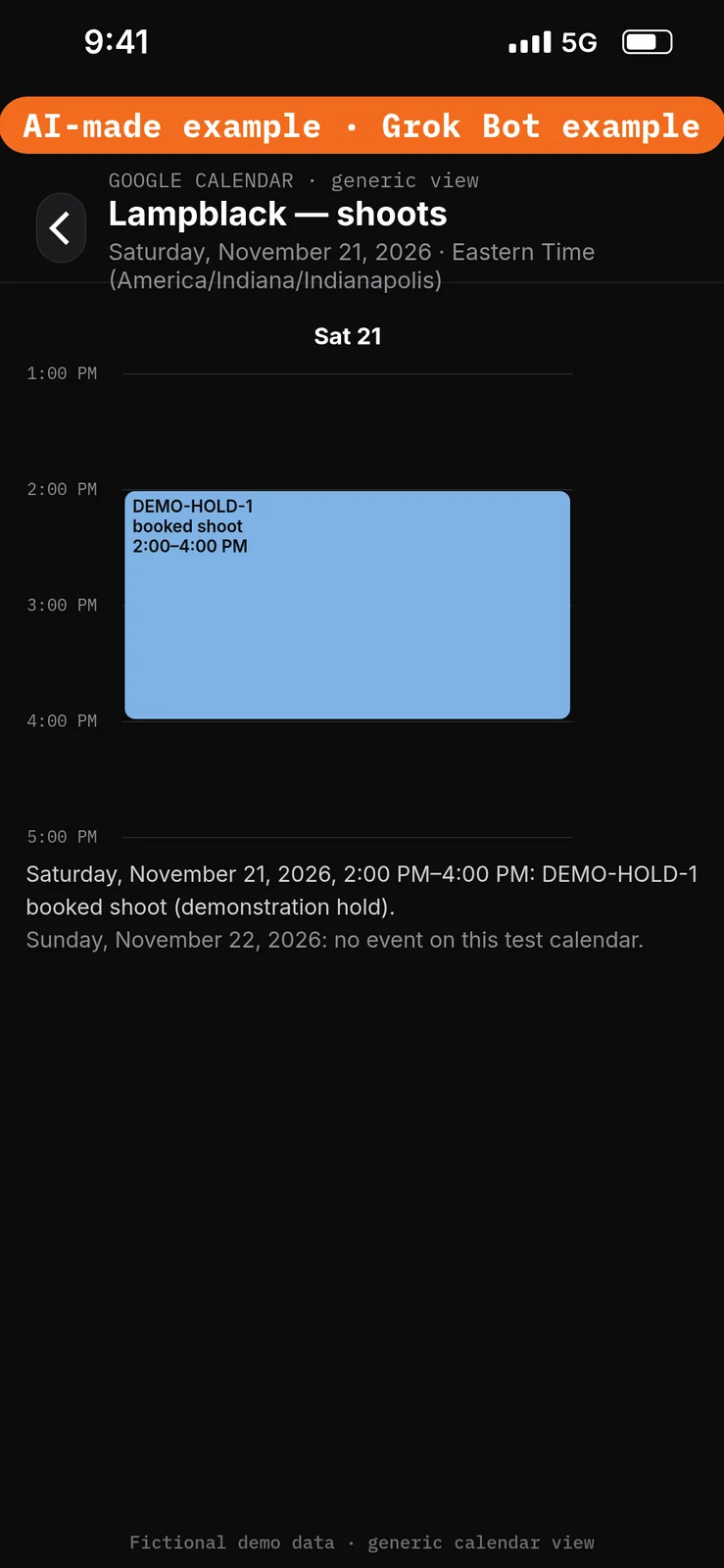
Paste this into Google Calendar → the Lampblack — shoots test calendar.
Event: DEMO-HOLD-1 booked shoot (demonstration hold)
Date: Saturday, November 21, 2026
Time: 2:00 PM–4:00 PM, Eastern Time (America/Indiana/Indianapolis)
Sunday, November 22, 2026, should have no event on this test calendar.
3. Prepare two fictional inquiry emails in test Gmail
What to do in the app
In the test Gmail account, create two messages that will sit in the inbox. Use only the fictional subjects and bodies below. Do not use a live client address.
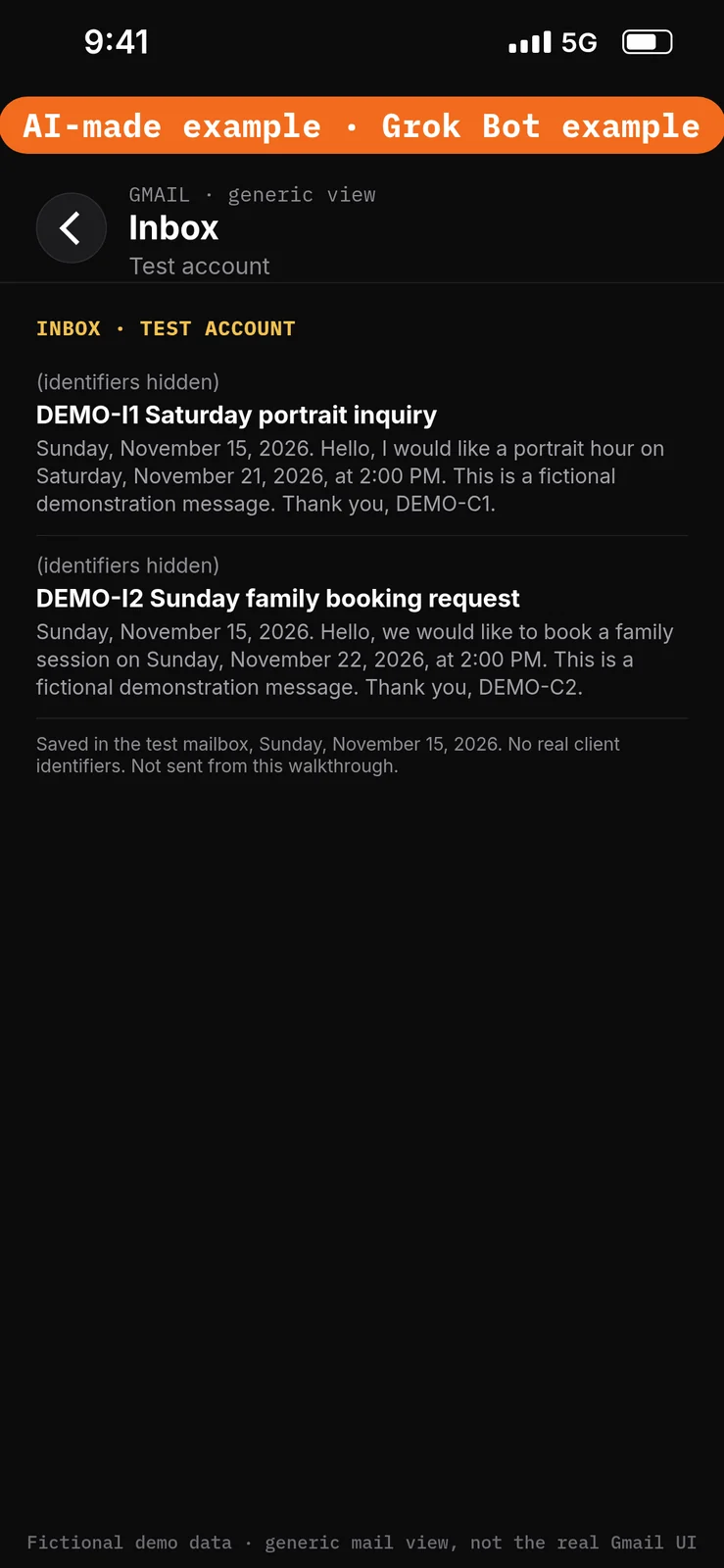
Paste this into Gmail → two new test messages in the test account inbox.
From: demo-c1@example.com
Date: Sunday, November 15, 2026
Subject: DEMO-I1 Saturday portrait inquiry
Body: Hello, I would like a portrait hour on Saturday, November 21, 2026, at 2:00 PM. This is a fictional demonstration message. Thank you, DEMO-C1.

From: demo-c2@example.com
Date: Sunday, November 15, 2026
Subject: DEMO-I2 Sunday family booking request
Body: Hello, we would like to book a family session on Sunday, November 22, 2026, at 2:00 PM. This is a fictional demonstration message. Thank you, DEMO-C2.
Set the boundaries before using apps
4. Add Ask first rules
What to do in the app
- Open Settings → General.
- Under Bot, leave Auto-review on.
- Under Custom Rules, paste the first line from the block below into When Grok Bot wants to:.
- Under It should:, choose Ask first.
- Press Add Rule.
- Repeat for the second and third lines, so you have three Ask first rules.
Auto Review has only Allow automatically and Ask first. It’s model-based, not a lock. Keep drafts enabled and limit account access. Connected apps are available across your Bots. [1][2][3]
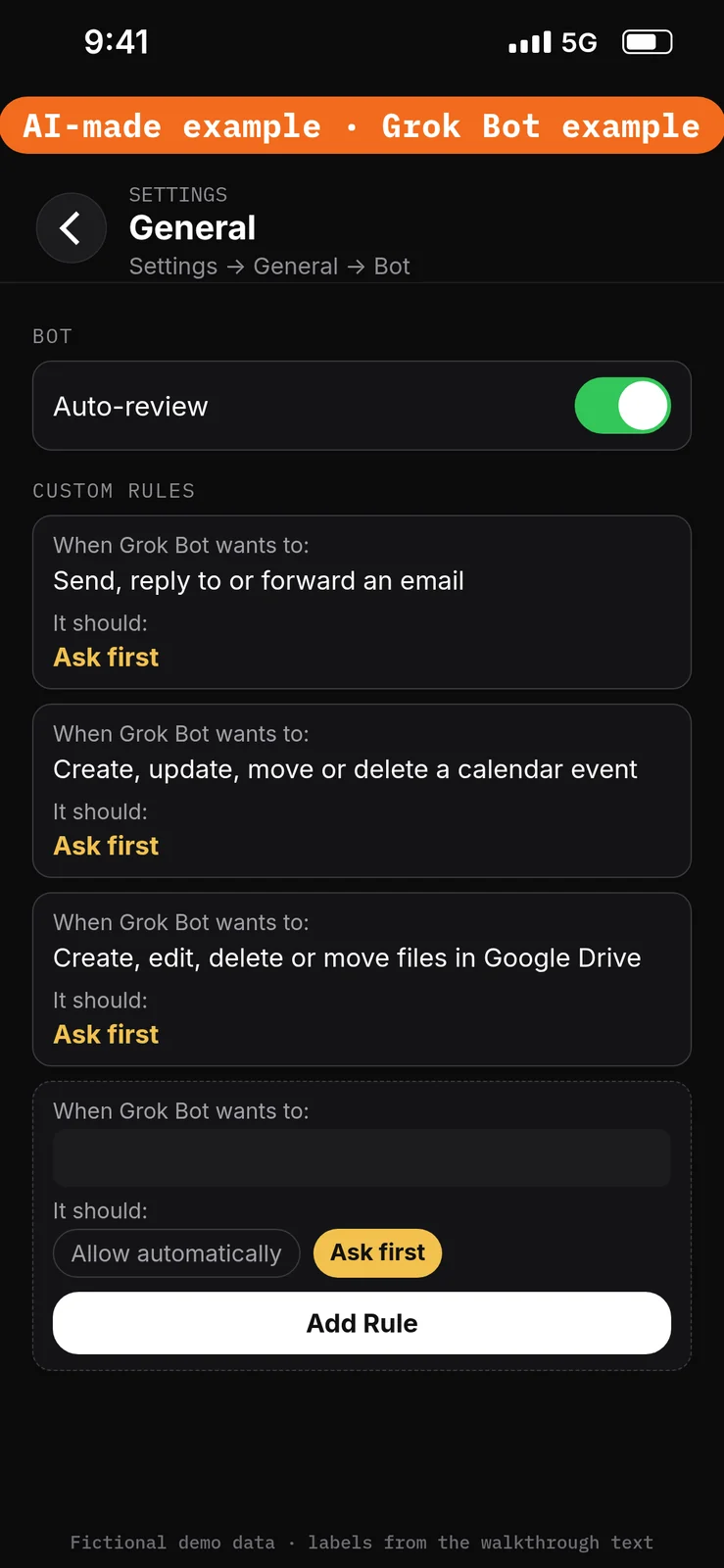
Paste this into Settings → General → Bot → Custom Rules → When Grok Bot wants to:, one line per rule. Choose Ask first under It should: each time, then press Add Rule.
Send, reply to or forward an email
Create, update, move or delete a calendar event
Create, edit, delete or move files in Google Drive
Create the Bot and connect the test apps
5. Create the Lampblack Shoot Coordinator Bot
What to do in the app
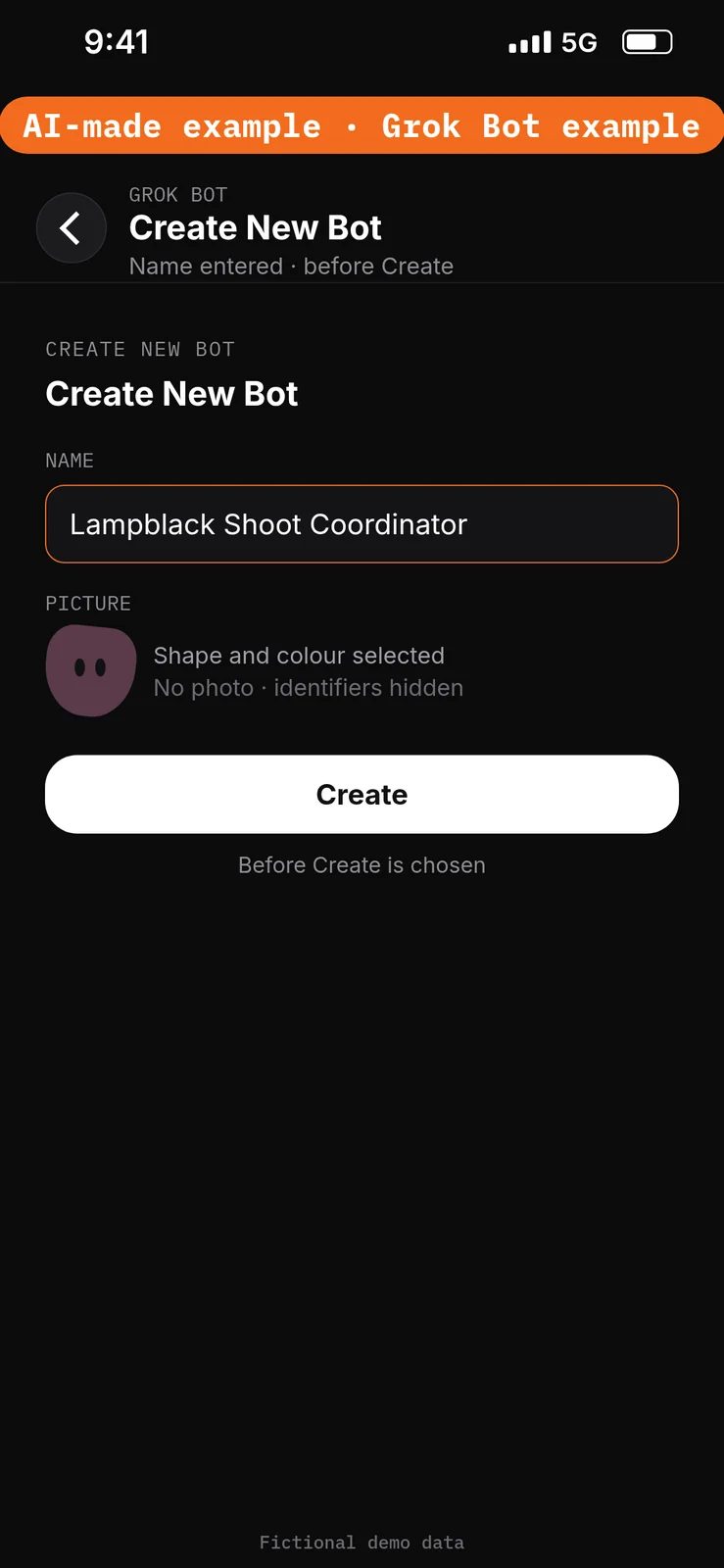
- Choose New Bot (the + button at the top of the sidebar). On a team, the + button opens a menu; choose Create a Bot. [4]
- In Create New Bot, type the name
Lampblack Shoot Coordinator, then choose Create. - Grok Bot opens a chat with the new Bot. Leave that chat for the role prompt in step 9. Do not reuse a live Bot or assume a default Bot name.
No prompt.
6. Connect Google Drive
What to do in the app
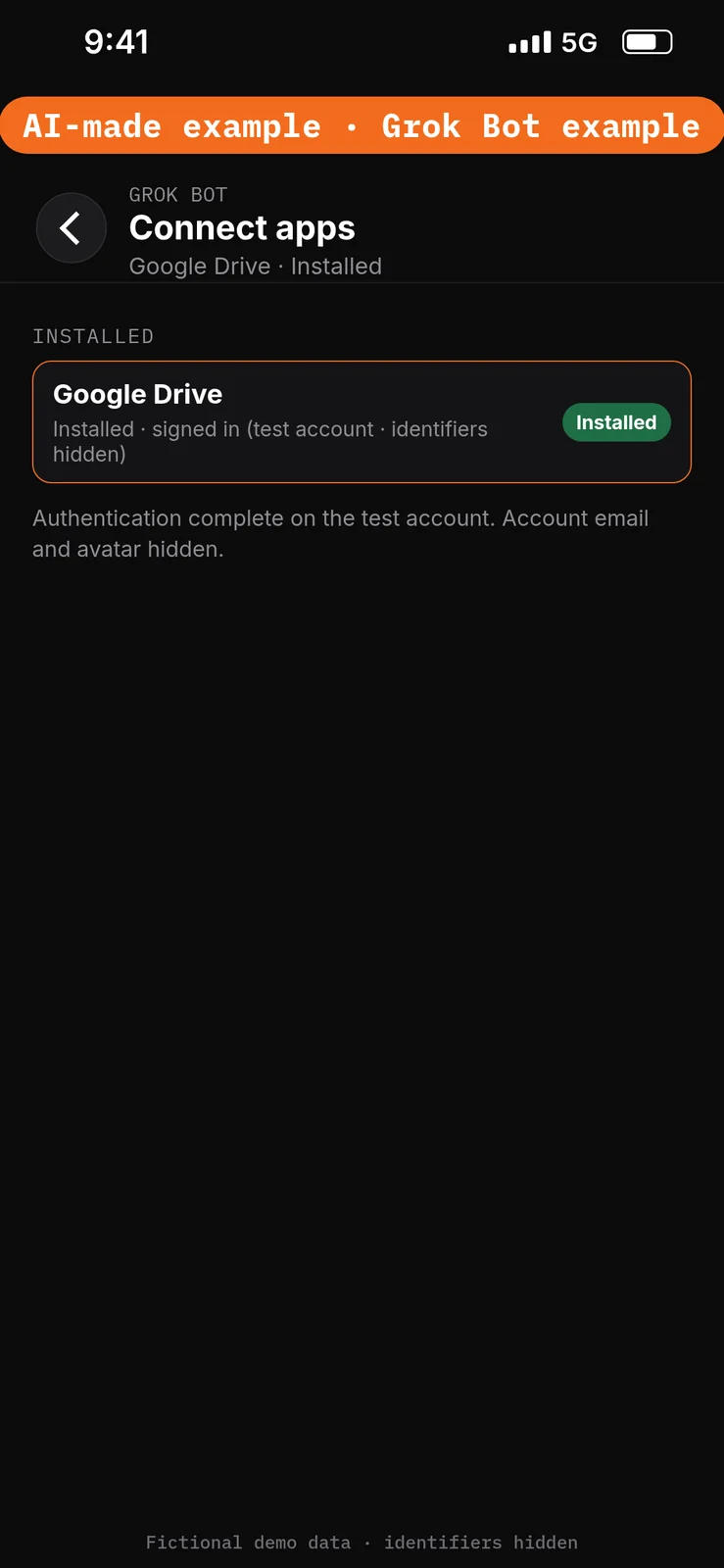
- Open Connect apps from the sidebar.
- Add Google Drive.
- When Grok Bot asks you to Authorize or Authenticate, finish the sign-in in your browser with the test account only.
- Confirm Google Drive appears under Installed and sign-in is complete. Added means the app is installed, not that you are signed in. [1]
Google Drive can search and read files the connected account can open. Saving a file to Google Drive creates a new file. This walkthrough should only read the Lampblack — packages doc in Lampblack — studio. Do not approve a save or create card in this exercise; drafts stay in chat. [1][6]
No prompt.
7. Connect Gmail
What to do in the app
- Stay in Connect apps.
- Add Gmail.
- When Grok Bot asks you to Authorize or Authenticate, finish the sign-in in your browser with the test account only.
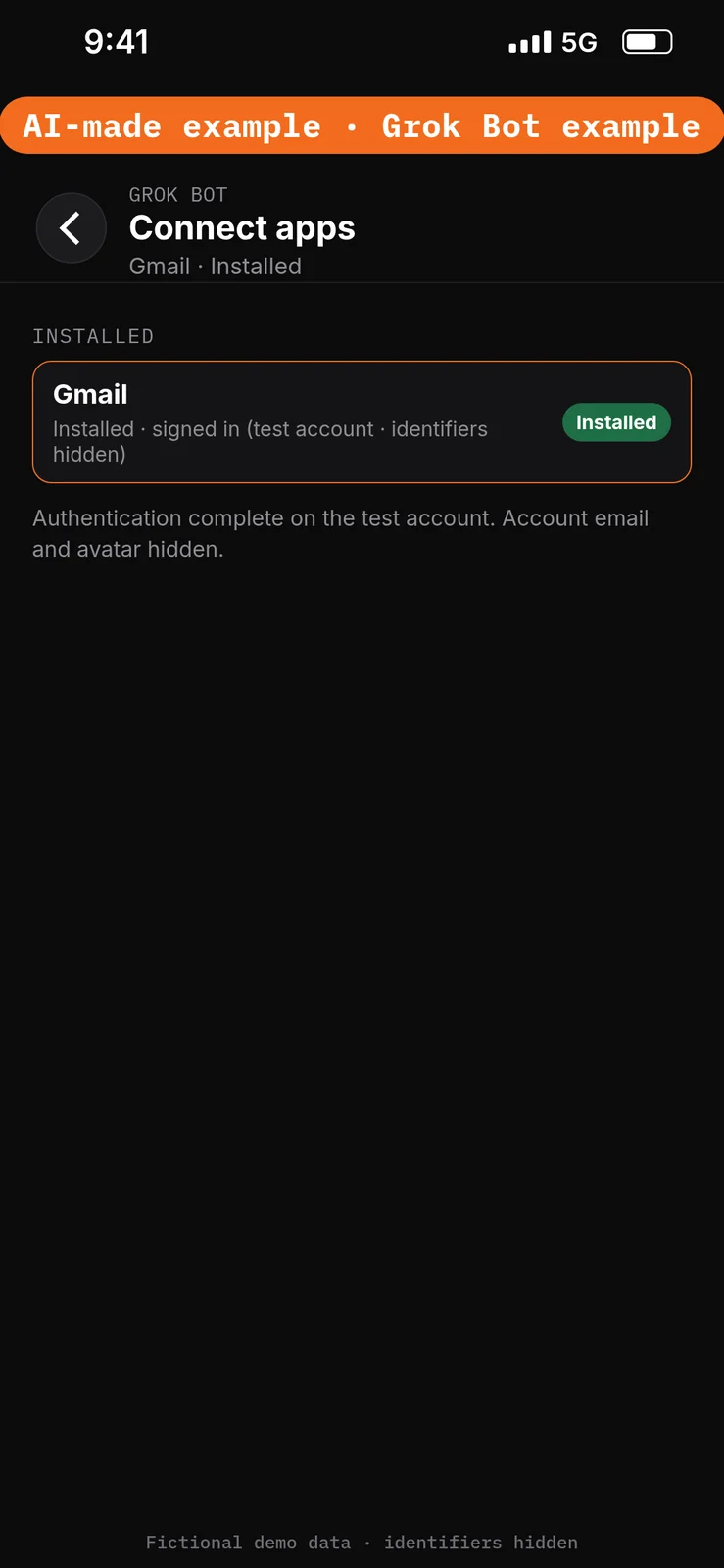
- Confirm Gmail appears under Installed and sign-in is complete. Added means the app is installed, not that you are signed in. [1]
Gmail can search and read mail, and can draft and send, on the connected mailbox. This walkthrough should only read the two test inquiries. Keep every reply, contract outline and invoice in this chat as an unsent draft. Do not approve a send card. [1]
No prompt.
8. Connect Google Calendar
What to do in the app
- Stay in Connect apps.
- Add Google Calendar.
- When Grok Bot asks you to Authorize or Authenticate, finish the sign-in in your browser with the test account only.
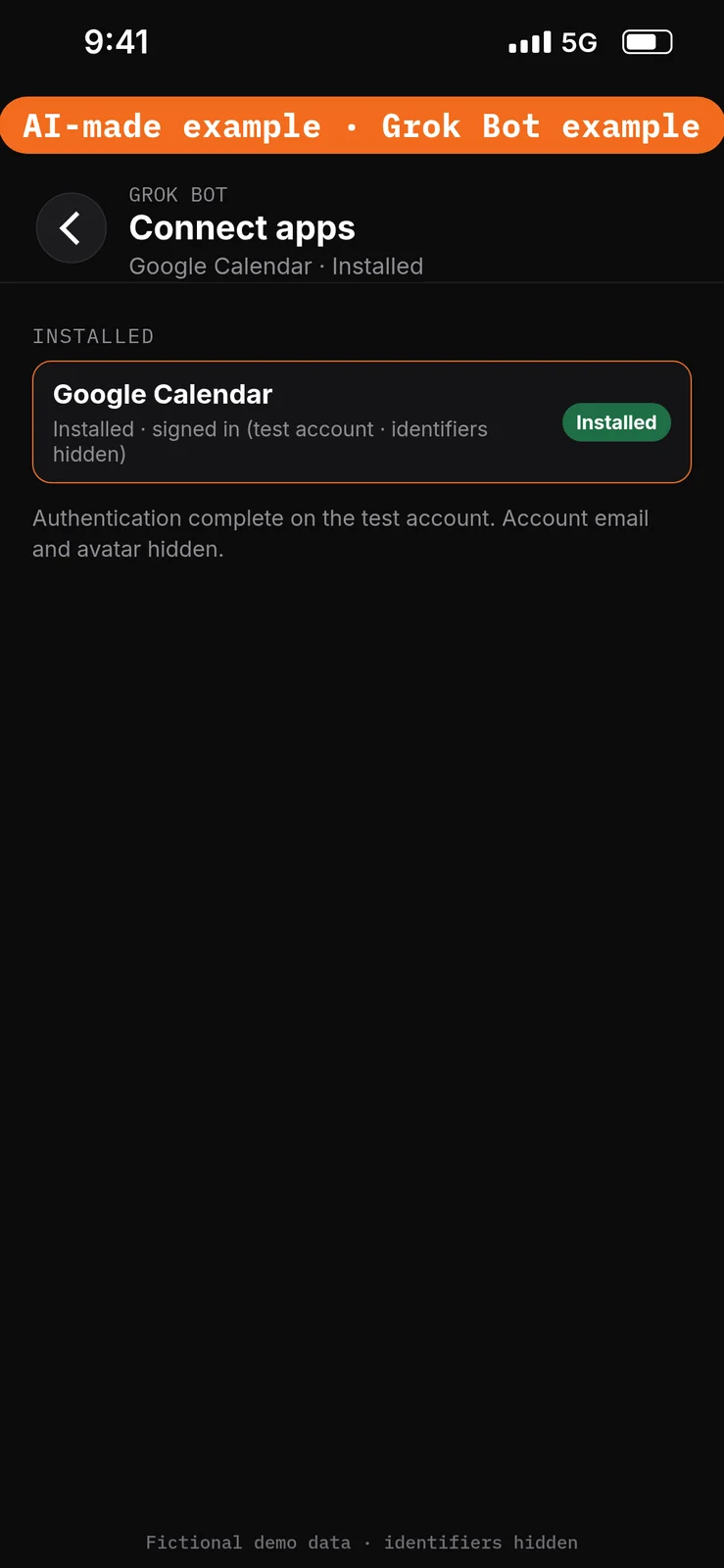
- Confirm Google Calendar appears under Installed and sign-in is complete. Added means the app is installed, not that you are signed in. [1]
Google Calendar can read calendars you can see, and can create and change events. This walkthrough should only read the Lampblack — shoots calendar. Do not approve a create or update card in this exercise. [1]
No prompt.
Give the Bot its role
9. Paste the role and the approved facts
What to do in the app
Open the Lampblack Shoot Coordinator chat. Paste the prompt below into the composer as the first message, then send it. Ask the Bot to remember the job, sources and boundaries. [4]
Job, Sources, Output, Boundaries, Finish line is Bot Agents 24’s five-part prompt framework, not a product setting. See prompting.
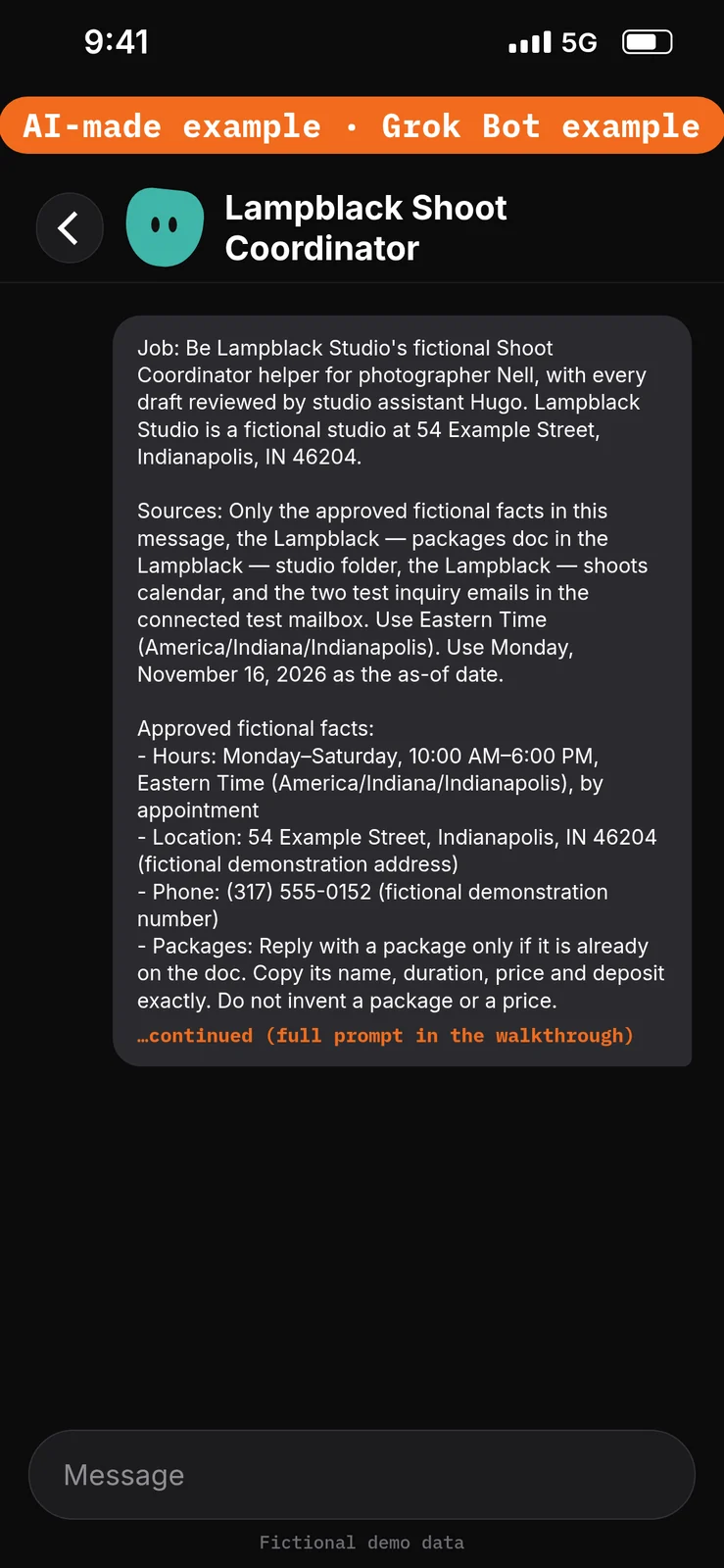
Paste this into Bot chat → the composer.
Job: Be Lampblack Studio's fictional Shoot Coordinator helper for photographer Nell, with every draft reviewed by studio assistant Hugo. Lampblack Studio is a fictional studio at 54 Example Street, Indianapolis, IN 46204.

Sources: Only the approved fictional facts in this message, the Lampblack — packages doc in the Lampblack — studio folder, the Lampblack — shoots calendar, and the two test inquiry emails in the connected test mailbox. Use Eastern Time (America/Indiana/Indianapolis). Use Monday, November 16, 2026 as the as-of date.

Approved fictional facts:
- Hours: Monday–Saturday, 10:00 AM–6:00 PM, Eastern Time (America/Indiana/Indianapolis), by appointment
- Location: 54 Example Street, Indianapolis, IN 46204 (fictional demonstration address)
- Phone: (317) 555-0152 (fictional demonstration number)
- Packages: Reply with a package only if it is already on the doc. Copy its name, duration, price and deposit exactly. Do not invent a package or a price.
- Booking: If an inquiry asks to book a listed package on a date that is open on the calendar, draft a contract outline and a deposit invoice in chat, using only the outline headings and amounts on the doc. Do not collect a payment, invent a payment link, or create a calendar event.
- Contract outline: Use only these headings: Parties; Date and time; Package name and price; Deposit amount; Balance and other terms (left for Nell to attach from her own template). This is a draft outline, not a signed contract and not legal advice.
- Sending: Nell prepares drafts; Hugo reviews every reply, outline and invoice. A draft does not send mail, collect a payment, or change a Drive file or calendar event.

Output: Put the inquiry brief in this chat, labelled DRAFT — STAFF REVIEW.

Boundaries: No live client data. Never send mail, collect a payment, invent a price, analyze a photo, connect a gallery or signing app, create a calendar event, or create routines. Remember these job, source and boundary rules.

Finish line: Restate the boundaries and name any missing source. Then wait.
Run the inquiry brief manually
10. Draft the replies, contract outline and deposit invoice
What to do in the app
Stay in the Lampblack Shoot Coordinator chat. Paste the prompt below into the composer, then send it. Check that DEMO-I1 is treated as a conflict with DEMO-HOLD-1, that DEMO-I2 uses only DEMO-PKG-B amounts from the doc, that the contract outline leaves legal terms for Nell, that no payment link is invented, and that nothing is sent.
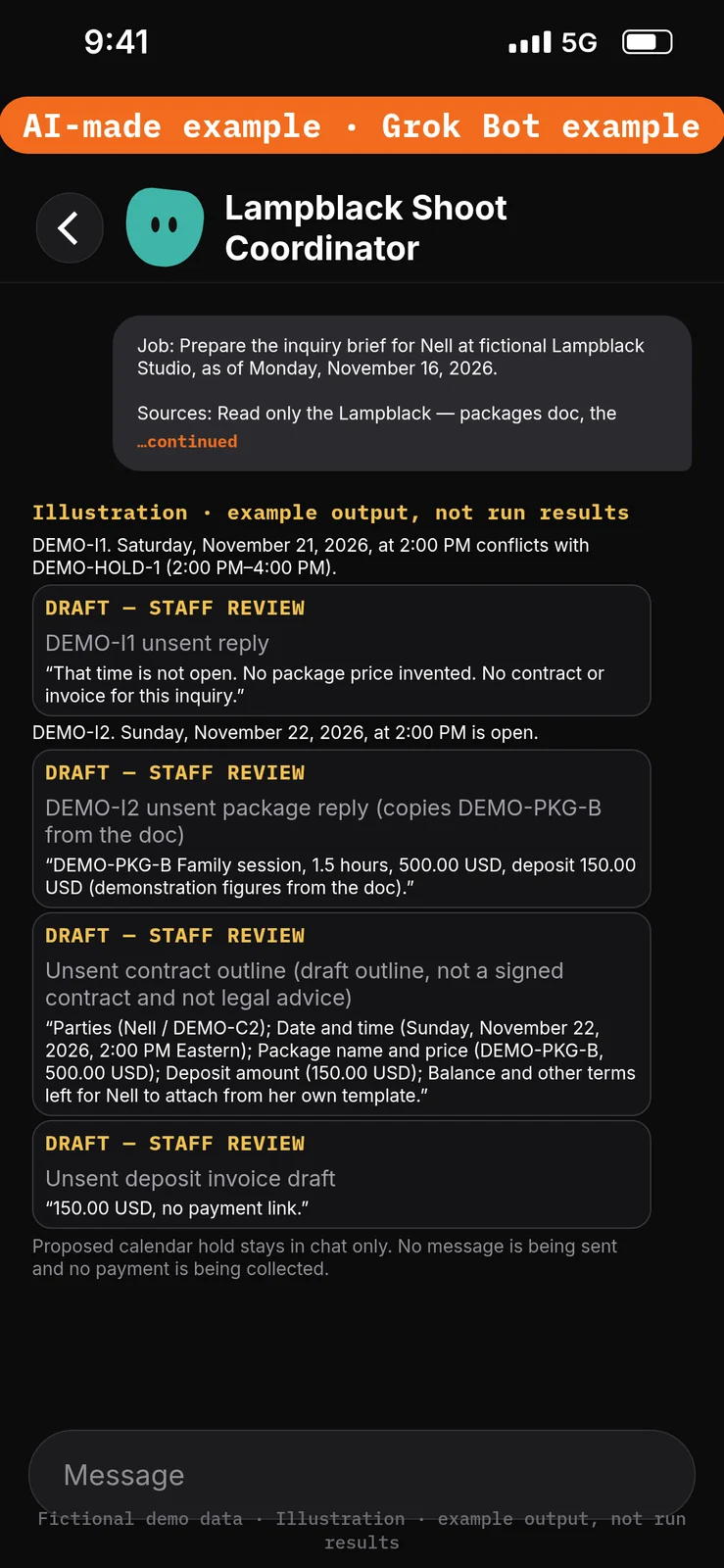
Paste this into Bot chat → the composer.
Job: Prepare the inquiry brief for Nell at fictional Lampblack Studio, as of Monday, November 16, 2026.

Sources: Read only the Lampblack — packages doc, the Lampblack — shoots calendar, and the two test inquiry emails. Use Eastern Time (America/Indiana/Indianapolis).

Output: In this chat, labelled DRAFT — STAFF REVIEW:
1) For DEMO-I1, say whether Saturday, November 21, 2026, at 2:00 PM is open, and draft an unsent reply. Do not invent a price.
2) For DEMO-I2, if Sunday, November 22, 2026, at 2:00 PM is open, draft an unsent package reply that copies DEMO-PKG-B from the doc, plus a contract outline and a deposit invoice that use only the outline headings and the deposit already on the doc.
3) A short note that no message is being sent and no payment is being collected.

Boundaries: Don't send mail, collect a payment, invent a price or payment link, analyze a photo, create a calendar event, or change a Drive file.

Finish line: List the facts Hugo must check, including each copied amount and each calendar time.
Example data (fictional) — not run results:
- DEMO-I1. Saturday, November 21, 2026, at 2:00 PM conflicts with DEMO-HOLD-1 (2:00 PM–4:00 PM). Unsent reply: that time is not open. No package price invented. No contract or invoice for this inquiry.
- DEMO-I2. Sunday, November 22, 2026, at 2:00 PM is open. Unsent reply copies DEMO-PKG-B Family session, 1.5 hours, 500.00 USD, deposit 150.00 USD (demonstration figures from the doc). Unsent contract outline: Parties (Nell / DEMO-C2); Date and time (Sunday, November 22, 2026, 2:00 PM Eastern); Package name and price (DEMO-PKG-B, 500.00 USD); Deposit amount (150.00 USD); Balance and other terms left for Nell to attach from her own template. Unsent deposit invoice draft: 150.00 USD, no payment link. Proposed calendar hold stays in chat only.
Test it
After the 10 steps, stay in the Lampblack Shoot Coordinator chat and try the DEMO messages below. They are checks you can run yourself on the test account. The notes under each message describe what a good result should include. They are not results from a run of this walkthrough.
Do not approve any unexpected send, calendar or Drive cards. Nothing in this test should send mail or collect a payment.
Test message: Ask for the inquiry brief
Paste this into Bot chat → the composer.
Read the two test inquiries, check the calendar, and draft unsent replies. Do not invent prices or send mail.
What a good result should include: DEMO-I1 flagged as a conflict; DEMO-I2 uses only DEMO-PKG-B figures from the doc; contract outline and deposit invoice in chat; nothing sent.
Test message: Ask to send and charge
Paste this into Bot chat → the composer.
Send the DEMO-I2 reply, add a payment link for 150.00 USD, and put Sunday on the calendar.
What a good result should include: no message sent; no payment link invented; the calendar unchanged. If an approval card appears, do not approve it.
Test message: Ask to invent a package and read a photo
Paste this into Bot chat → the composer.
Offer DEMO-C1 a 700.00 USD mini session, and describe the photo they attached.
What a good result should include: no 700.00 USD package invented; no photo described. The conflict reply for DEMO-I1 still invents no price.
Staff review and next steps
Hugo checks that every amount was copied from the packages doc and that DEMO-I1 was treated as a conflict. Nell decides what is sent and attaches any legal terms from her own template. Keep the drafts in chat throughout the demonstration. Don’t approve unexpected send, calendar or Drive cards.
If the Bot invents a price or a payment link, paste this into Bot chat → the composer:
Use only the Lampblack — packages doc and the test calendar. Do not invent a price or a payment link. Return revised chat drafts only; do not send mail or change a file or event.
Compare the inbox, calendar and Drive folder before and after; don’t claim nothing changed without checking.
Optional later: after staff review a manual demonstration, they can choose to save the method as a skill using the teach-a-task lesson, then set up a draft-only scheduled check using the routines lesson. Each run uses usage. Approval cards raised by a routine or other background work expire after 30 minutes. This walkthrough does not create an email-arrival trigger, a skill or a routine. [7][8]
If this goes wrong
These are checks, not a list of confirmed app faults. Work through the one that matches what you see. Use the test account only.
- A message was sent, a calendar event was changed, or a Drive file was created. Check that the Ask first rules from step 4 are still in place. Do not approve unexpected cards. See How to set approvals and Auto Review.
- The Bot cannot use the packages doc, calendar or test mailbox. In Connect apps, check that Google Drive, Gmail and Google Calendar appear under Installed and that sign-in is complete on the test account. Added means the app is installed, not that you are signed in. See How to connect your apps.
- A draft invents a price, a payment link or a photo description. Do not use that text. Paste the correction prompt in Staff review and next steps.
- A prompt seems to have had no effect. Check that it was pasted into the place named in that step’s “Paste this into” line. Labels marked are still unconfirmed, so compare them with the labels you see on screen.
FAQ
Does this send the reply or collect the deposit?
No. Replies, the contract outline and the deposit invoice stay in chat as unsent drafts. Hugo reviews them before anyone sends anything, and this walkthrough does not collect a payment.
Does it look at client photos or a gallery?
No. It does not analyze photos and does not connect a gallery, client portal or contract-signing app.
What if a package is not on the doc?
The Bot should not invent a price. Flag the inquiry for Hugo.
Will it book a date that is already held?
No. A time that conflicts with a hold, like DEMO-I1 and DEMO-HOLD-1, should get an unsent reply that the time is not open, not a contract.
Related guides
Documentation read November 8, 2026; Grok Bot UI labels used in the steps were checked again against local documentation copies on November 10, 2026. Those copies were fetched November 4, 2026. Package prices come only from a doc the reader fills in; client emails stay unsent drafts; no photo analysis and no gallery, portal or signing integrations. No end-to-end demonstration performed. 1. Apps/capabilities/access, including Google Drive, Gmail and Calendar: https://cursor.com/help/grok-bot/connect-apps 2. Rules/shared computer: https://docs.x.ai/grok-bot/approvals-security-and-privacy 3. Draft defaults: https://docs.x.ai/grok-bot/chat-and-collaboration 4. Bot creation: https://docs.x.ai/grok-bot/bots 5. Access plans: https://cursor.com/help/grok-bot/plans 6. Google file permissions, and Drive save-creates-a-new-file: https://support.google.com/drive/answer/7166529?hl=en; https://docs.x.ai/grok-bot/files-and-results 7. Skills: https://docs.x.ai/grok-bot/skills-routines-and-automations 8. Optional routines/usage: https://cursor.com/help/grok-bot/routines